
SN Player is a media player used for IPTV and streaming. Learn about its features, installation steps, pros & cons, payment options, and alternatives.
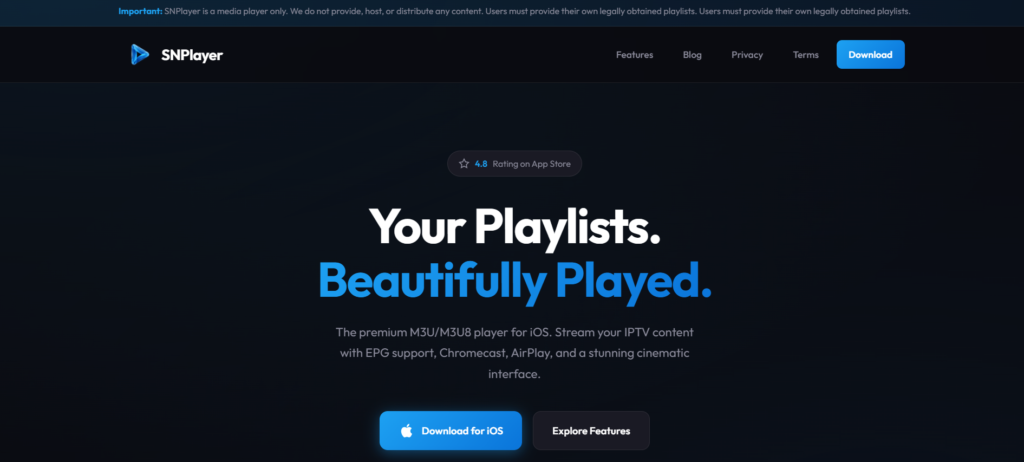
What is SN Player?
SN Player is a multimedia streaming application designed to play IPTV content, live TV channels, movies, and series using user-provided playlists or credentials. It does not host content itself and works as a media player that supports various streaming formats and IPTV protocols.
Features
- User-friendly interface
- Supports IPTV playlists (M3U & Xtream Codes)
- Live TV, movies, and series playback
- EPG (Electronic Program Guide) support
- Multi-screen and external player support
- Parental control options
- Fast streaming with minimal buffering
- Compatible with Android devices and Smart TVs
Pros and Cons
| Pros | Cons |
|---|---|
| Easy to use interface | Does not provide content |
| Supports multiple playlist formats | Availability varies by device |
| Smooth streaming performance | Limited official documentation |
| EPG and parental controls | May require manual configuration |
| Lightweight application | No built-in VPN support |
Installation Guide
- Download SN Player from the official app store or trusted source
- Install the application on your device
- Open the app and accept permissions
- Add your IPTV playlist (M3U URL or Xtream Codes)
- Load channels and start streaming
Payment Method
SN Player may offer:
- Free version with limited features
- Paid or premium access via:
- Credit/Debit Card
- Google Play In-App Purchase
- Subscription-based plans (varies by region)
Customer Service
Customer service availability depends on the platform or distributor. Users typically receive support through:
- Official website contact forms
- App store support pages
- Email assistance (if provided)
Customer Support
- Setup and configuration guidance
- Playlist loading assistance
- Bug and performance issue reporting
- Subscription or activation help
Response times may vary depending on the support channel used.
Alternatives
Each alternative offers different UI styles, pricing models, and device compatibility.
Conclusion
SN Player is a reliable IPTV media player for users who already have streaming credentials or playlists. It offers essential features such as EPG support, parental controls, and smooth playback. While it doesn’t provide content directly, it serves as a solid option for IPTV streaming when paired with a legitimate service.
FAQ’s
1. Is SN Player free to use?
SN Player may offer a free version, but some features can require a paid upgrade.
2. Does SN Player provide IPTV channels?
No, SN Player does not host or provide any channels or content.
3. Which devices support SN Player?
It is commonly available for Android devices and compatible Smart TVs.
4. Is SN Player legal?
The app itself is legal; legality depends on the content source used by the user.