

Discover SNPlayer, a modern M3U and M3U8 playlist player for iOS. Learn about its features, installation steps, pricing details, and the best alternatives.
What is SNPlayer?
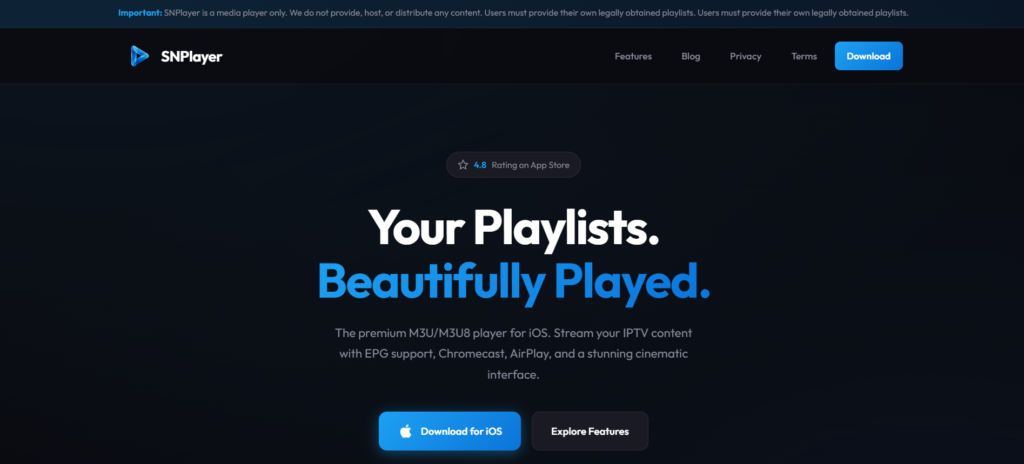
SNPlayer is a modern media player designed for iPhone and iPad devices that allows users to stream content using M3U or M3U8 playlist files. Instead of hosting or distributing media, the app works as a player where users can load their own playlists and watch content directly on their device.
The application focuses on delivering a smooth viewing experience with a clean and intuitive interface. It supports advanced playback technology, high-quality video streaming, and multiple device casting options.
SNPlayer also places strong emphasis on user privacy. All playlist information and viewing data remain stored locally on the device, meaning no accounts are required and no personal data is collected.
With its combination of simplicity, speed, and modern design, SNPlayer offers a convenient solution for users who want a reliable playlist-based media player on iOS.
Features
SNPlayer offers several tools that improve the viewing experience and make playlist management easier.
Playlist Import
Users can add playlists using a URL link, file upload, or manual paste, supporting standard M3U and M3U8 formats.
Live Channel Playback
Watch channels with smooth performance and support for SD, HD, Full HD, and 4K resolution.
Movies and Series Library
Browse video collections organized into categories with easy navigation.
Program Guide
The built-in guide shows scheduled programs so users can see what is currently playing and what comes next.
Screen Casting
Content can be displayed on larger screens using AirPlay, Chromecast, or compatible streaming devices.
Picture-in-Picture Mode
Continue watching video in a floating window while using other applications on the device.
Favorites and Viewing History
Save preferred channels and quickly return to recently watched content.
Parental Safety Options
Optional PIN protection helps restrict access to certain content.
Privacy Focus
All information remains stored locally on the device, and the application does not track user activity.
Pros and Cons
Pros
- Clean and modern interface
- Supports M3U and M3U8 playlist formats
- Smooth playback with high-resolution video support
- Casting options for larger screens
- Local data storage improves privacy
- Easy playlist setup
Cons
- Only available on iOS devices
- Requires external playlists to play content
- Some advanced features may depend on device compatibility
Pricing
SNPlayer can typically be downloaded free from the App Store. Certain advanced options or upgrades may be available through in-app purchases, depending on the version of the application.
Users can begin using the basic player features without any upfront cost.
Installation Guide
Follow these steps to install the application:
- Open the App Store on your iPhone or iPad.
- Search for SNPlayer.
- Tap the Install or Download button.
- Launch the app once installation is complete.
- Import your playlist URL or file.
- Start watching your media content.
Payment Method
If the application includes optional premium features, payments are usually handled through the Apple App Store system, which may include:
- Apple ID balance
- Credit or debit cards linked to Apple ID
- Apple Pay
- Gift cards added to the Apple account
Support
Users who need help can access support through several options:
- Official website help pages
- Email contact form
- Frequently asked questions section
- App Store support resources
These channels provide assistance with playlist loading, playback issues, and general app usage.
Alternatives
Other playlist-compatible media players include:
Each of these apps offers similar playlist streaming capabilities and device compatibility.
Conclusion
SNPlayer is a powerful and easy-to-use playlist-based media player built specifically for iOS devices. With support for M3U and M3U8 playlists, smooth playback technology, and casting options, it delivers a flexible viewing experience.
Its focus on privacy, simple interface, and reliable performance makes it a strong choice for users looking for a modern playlist media player for iPhone or iPad.
FAQs
1. Is SNPlayer free to use?
Yes, the application can be downloaded for free, although some advanced options may require in-app purchases.
2. What playlist formats does SNPlayer support?
SNPlayer works with M3U and M3U8 playlist formats.
3. Does SNPlayer collect personal data?
No. All information is stored locally on the device, and no user tracking is required.
4. Can SNPlayer stream content on a TV?
Yes, it supports casting through AirPlay, Chromecast, and compatible devices.
5. Is SNPlayer available on Android?
Currently, the application is designed for iOS devices such as iPhone and iPad.