
Compare the 8 best IPTV service providers, including features, pricing, device compatibility, streaming quality, and tips for choosing the right service.
Introduction: Finding the Best IPTV Service Providers
Television streaming has transformed the way people watch entertainment, news, sports, and live events. Instead of relying exclusively on traditional cable or satellite television, viewers can now choose internet-based platforms that deliver live channels and on-demand content to compatible devices. As a result, finding the best IPTV service providers has become an important step for households seeking flexibility, convenience, and better control over their entertainment budgets.
IPTV stands for Internet Protocol Television. It describes a method of delivering television programming through internet networks. Depending on the service, viewers may access live broadcasts, television channels, movies, recorded programs, and on-demand entertainment using a smart TV, streaming device, computer, smartphone, or tablet.
However, not every IPTV provider offers the same features, channel selection, or subscription experience. Some platforms specialize in comprehensive live television packages, while others focus on sports, entertainment, family programming, or affordable streaming. Understanding these differences helps viewers identify a service that matches their preferences.
A good television streaming platform should offer reliable playback, straightforward navigation, compatible applications, transparent subscription terms, and access to the programming you actually want to watch. Content licensing and customer support are equally important when evaluating a provider.
In this guide, we compare eight television streaming options for US viewers: YouTube TV, Hulu + Live TV, Sling TV, Fubo, DIRECTV, Philo, Frndly TV, and Pluto TV. These services represent a range of paid and free internet-delivered television options. They are included to help readers compare legitimate streaming choices rather than unverified sellers claiming to provide unlimited access to every premium channel.
Whether you are switching from cable, researching a new subscription, or comparing affordable entertainment platforms, this article explains the features, benefits, limitations, and selection criteria that matter most.
What Is an IPTV Service Provider?
An IPTV service provider delivers television programming through internet-based infrastructure rather than relying exclusively on conventional cable or satellite distribution.
The term IPTV is broad. It can describe different delivery systems, including managed television services offered by telecommunications companies and internet-based streaming platforms that distribute live television through applications.
For everyday consumers, the most important distinction is between a legitimate content provider and a media player.
A licensed streaming provider obtains the appropriate rights to distribute its programming. A media player is software that plays supported video or audio streams. Installing a media player does not automatically provide a television subscription or grant access to copyrighted channels.
How Does IPTV Work?
A typical internet television viewing experience involves several components:
- Content source: A broadcaster or authorized distributor supplies the programming.
- Streaming infrastructure: The service prepares and delivers the content over an internet network.
- Internet connection: Your home or mobile network carries the video stream.
- Compatible application: The streaming app receives and displays the content.
- Viewing device: A television, computer, smartphone, or tablet plays the program.
The precise technology varies between services. Some offer live television with scheduled broadcasts, while others combine live channels with on-demand libraries and cloud recording.
Why Are IPTV Services Popular?
Internet television gives viewers more choice over how they access entertainment. Rather than depending on a single traditional television package, users can compare different subscriptions and choose the features that best fit their household.
Common advantages include:
- Access to live television through supported devices.
- On-demand movies and television programs.
- Flexible viewing locations with an internet connection.
- Potential alternatives to traditional cable packages.
- Digital program guides and convenient content discovery.
- Subscription options for different budgets and interests.
- Applications designed for modern smart TVs and streaming devices.
The value of these benefits depends on the provider, the content it is authorized to distribute, and the viewer’s internet connection.
Key Features to Look for in the Best IPTV Service Providers
Before choosing a subscription, compare the features that influence everyday viewing. A large channel count may sound attractive, but it is less useful if the service lacks your preferred networks or performs poorly on your device.
1. Channel Selection
Channel availability should be one of your first considerations.
Some services emphasize major broadcast networks, news, sports, and general entertainment. Others focus on lifestyle channels, movies, family programming, or specialized interests.
Check the provider’s current channel list and verify that the channels you need are available in your location and subscription tier.
2. Video Quality
Streaming quality can affect the entire viewing experience. Depending on the platform, device, and content, services may support standard definition, HD, Full HD, or 4K video.
Actual picture quality depends on the source material, compression, network conditions, and the capabilities of your television or streaming device.
A provider advertising 4K does not necessarily offer every program in 4K. Check the details before subscribing.
3. Streaming Stability
A reliable platform should provide consistent playback under suitable network conditions.
Buffering can result from weak Wi-Fi, internet congestion, an underpowered device, or problems within the streaming service itself.
Look for established providers with documented support channels, compatible applications, and clear troubleshooting information.
4. Device Compatibility
The best service for your household should work with your preferred devices.
Commonly supported device categories include:
- Smart TVs.
- Amazon Fire TV devices.
- Apple TV.
- Android TV and Google TV devices.
- Android smartphones and tablets.
- iPhones and iPads.
- Windows computers and Macs.
- Supported web browsers.
Not every provider supports every device. Verify compatibility before purchasing a subscription.
5. Cloud DVR and Catch-Up Features
Cloud DVR allows users to record supported programs for later viewing without necessarily connecting a physical recording device.
Catch-up features, where offered, may allow viewers to watch selected broadcasts after they originally air.
Recording limits, retention periods, and availability differ by platform and plan.
6. Simultaneous Streams
A household with several viewers may need more than one simultaneous stream.
Some providers allow multiple devices to watch different programs at the same time, while others impose limits or charge for additional access.
Check the current account-sharing rules and stream limits before choosing a plan.
7. Transparent Pricing
Subscription prices are only one part of the overall cost.
Review promotional periods, renewal prices, premium add-ons, taxes, equipment requirements, and cancellation policies.
A service with a lower introductory price may become more expensive after its promotional period ends.
8. Customer Support and Security
Choose a provider with clear account-management procedures, recognizable contact channels, and accessible support documentation.
Use official applications, protect your account with a unique password, and read the privacy policy before installing streaming software.
Most importantly, confirm that the provider has the appropriate rights to distribute the content it advertises.
The 8 Best IPTV Service Providers Compared
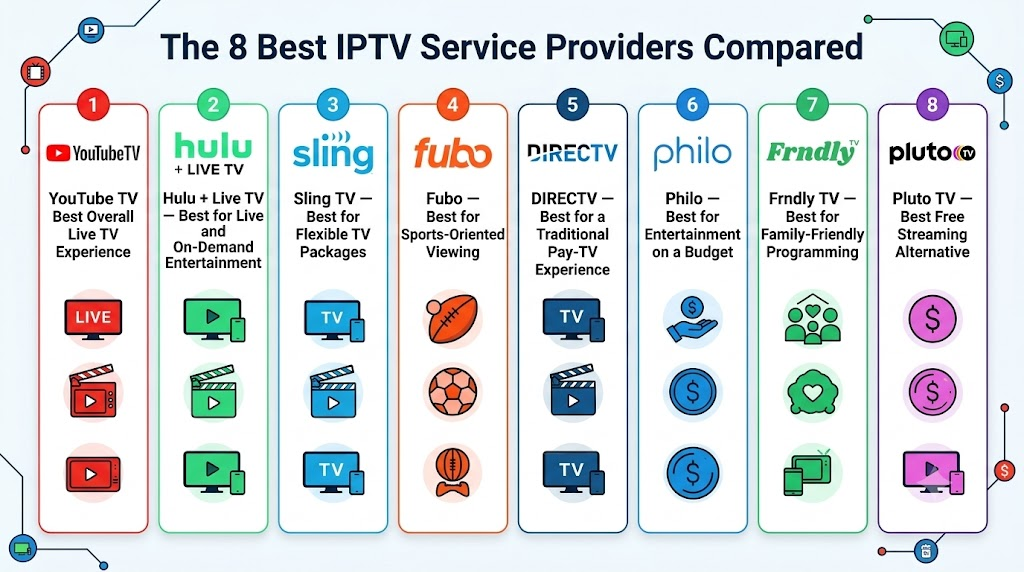
The following services offer different approaches to internet-delivered television. The rankings are an editorial guide to the use cases each platform may suit; they are not a claim that every service has identical features or content rights.
Current prices, promotional offers, local channels, and device support can change. Check the provider’s official website for the latest information before subscribing.
1. YouTube TV — Best Overall Live TV Experience
YouTube TV is a live television streaming platform designed for viewers who want a familiar television experience without a traditional cable connection. It combines a broad selection of live channels with cloud DVR and an interface that makes it easy to browse scheduled programming.
For households that watch a mixture of news, sports, entertainment, and local broadcasts, YouTube TV is worth considering. Its suitability depends on the current channel lineup and availability in your location.
Key features
- Live television through compatible streaming devices.
- Access to selected local broadcast stations, depending on location.
- Cloud DVR for recording supported programming.
- Multiple household profiles and simultaneous-stream options.
- A familiar interface for browsing channels and programs.
- Access through supported televisions, mobile devices, and computers.
Advantages
YouTube TV is a strong option for people who want a centralized live television package. Its combination of channel browsing, recording features, and device support can make it convenient for households with different viewing preferences.
Potential limitations
The subscription may cost more than a specialized entertainment package. Channel availability varies by market, and sports coverage can depend on regional rights and additional restrictions.
Best for: Households seeking a broad live TV package with convenient recording features.
2. Hulu + Live TV — Best for Live and On-Demand Entertainment
Hulu + Live TV combines live television with on-demand entertainment and other benefits included in its current bundle. This combination may appeal to households that want to watch scheduled broadcasts as well as movies, television series, and exclusive programming.
The service is particularly worth comparing if you already use Hulu or are interested in a bundled entertainment subscription.
Key features
- Live television channels through a supported subscription.
- Access to Hulu’s on-demand entertainment offering.
- Cloud DVR features under the applicable plan.
- Compatible applications for supported streaming devices.
- Bundled entertainment benefits that may be included with eligible subscriptions.
Advantages
Combining live television and on-demand entertainment can reduce the need to manage separate services. The bundle may be useful for households with varied viewing habits.
Potential limitations
Pricing and bundle contents can change. Some premium channels or services may require a different plan or additional subscription. Local broadcast access also depends on location.
Best for: Viewers who want live television and an integrated on-demand entertainment experience.
3. Sling TV — Best for Flexible TV Packages
Sling TV offers internet-delivered television through packages with different channel selections. It is worth considering for viewers who want to compare a more targeted channel lineup rather than automatically paying for a large bundle.
Its package structure can suit people who know which types of channels they watch regularly and want to evaluate the available options accordingly.
Key features
- Multiple live television package options.
- Channel selections that vary between plans.
- Supported streaming-device applications.
- Optional add-ons, subject to availability.
- Cloud DVR features according to the applicable plan.
- Flexible options for different entertainment preferences.
Advantages
Sling TV allows viewers to compare different packages and choose one that better fits their interests. This can be useful for households that do not need every channel offered by a larger live TV provider.
Potential limitations
Local channel availability is more limited in some markets and depends on the package. Sports coverage, recording capacity, and simultaneous-stream limits may also vary.
Best for: Viewers who want flexible live TV packages and are willing to check channel availability carefully.
4. Fubo — Best for Sports-Oriented Viewing
Fubo is a live television streaming platform that has a strong focus on sports alongside news and entertainment programming.
It may appeal to sports fans who want to compare live sporting coverage with a broader television package. However, availability depends on current distribution agreements, location, and subscription tier.
Key features
- Live television packages with sports programming.
- News and entertainment channels, depending on the plan.
- Cloud DVR features under supported subscriptions.
- Compatible applications for selected streaming devices.
- Additional channel or content options where available.
Advantages
Sports-oriented viewers may find Fubo useful when its current channel lineup includes their preferred competitions and networks. It can also provide general television programming beyond sports.
Potential limitations
Sports rights can vary, and some events may be subject to regional blackouts or separate subscription requirements. Pricing may be higher than a smaller entertainment-focused package.
Best for: Viewers who prioritize live sports and want to compare available sports channels before subscribing.
5. DIRECTV — Best for a Traditional Pay-TV Experience
DIRECTV offers television packages through internet-based streaming options as well as other delivery arrangements. Its streaming service may appeal to households looking for a traditional pay-TV-style experience without necessarily installing a satellite dish.
Depending on the selected plan, viewers can compare general entertainment, news, sports, movies, and regional programming.
Key features
- Live television packages with different channel lineups.
- Options designed for traditional television viewers.
- Access through compatible streaming devices.
- Package choices that may include sports and premium networks.
- Recording and viewing features according to the selected offering.
Advantages
DIRECTV is worth considering for people who prefer a structured television package and want to compare a broad selection of channels.
Potential limitations
Pricing can be comparatively high, and package details, regional sports access, and additional fees need careful review. Confirm that you are comparing the internet-streaming product rather than a different DIRECTV package.
Best for: Viewers who want a traditional television package delivered through a compatible streaming service.
6. Philo — Best for Entertainment on a Budget
Philo focuses primarily on entertainment, lifestyle, and related television programming. It is designed for viewers who do not necessarily need a complete replacement for traditional cable television.
If your household mainly watches entertainment and lifestyle channels, Philo may offer a more targeted option than a comprehensive live TV subscription.
Key features
- Live entertainment and lifestyle channels.
- On-demand programming where available.
- Recording features according to the current subscription.
- Applications for compatible streaming devices.
- A focused channel selection compared with broader television packages.
Advantages
A narrower channel lineup can be beneficial when it includes the programs you actually watch. It may help avoid paying for an extensive collection of sports or local channels you rarely use.
Potential limitations
Philo is not designed to provide every local broadcast station or major sports network. Check the channel lineup before treating it as a complete replacement for cable.
Best for: Viewers who primarily want entertainment and lifestyle programming at a potentially lower subscription cost.
7. Frndly TV — Best for Family-Friendly Programming
Frndly TV is an internet-based television service focused on family-friendly entertainment and selected lifestyle, history, and related programming.
Its targeted offering can appeal to households that prefer a simpler selection of channels rather than a large general-purpose television package.
Key features
- Family-oriented and lifestyle programming.
- Live channels included in supported plans.
- Compatible applications for selected devices.
- Recording features that vary by subscription tier.
- Different plan options according to the provider’s current offering.
Advantages
Frndly TV may be suitable for households seeking a more focused collection of television channels. A smaller package can also be easier to evaluate when family entertainment is the main priority.
Potential limitations
The service does not replace every major news, local broadcast, or sports channel. Compare the current lineup and recording features against your family’s actual viewing needs.
Best for: Families and viewers interested in a targeted selection of entertainment and lifestyle channels.
8. Pluto TV — Best Free Streaming Alternative
Pluto TV is a free, ad-supported streaming service that offers live-style channels and on-demand entertainment. Unlike a conventional paid television subscription, it provides content without requiring a standard monthly subscription fee for its free offering.
It is a useful alternative for viewers who want to explore internet television without committing to another recurring payment.
Key features
- Free, ad-supported streaming.
- Live-style channels with scheduled programming.
- On-demand movies and television content.
- Applications for supported devices.
- A range of entertainment categories.
Advantages
The main attraction is its free access to supported programming. It can complement a paid service or serve as an entry point for viewers who want to reduce entertainment expenses.
Potential limitations
The content lineup differs from traditional cable television, and viewers cannot assume that every major network, premium channel, or live sporting event will be available. Advertising is part of the viewing experience.
Best for: Budget-conscious viewers who want free, legal internet-based entertainment.
Pricing Comparison: The 8 Best IPTV Service Providers
Pricing is a major consideration when comparing television streaming platforms. However, subscription prices change frequently, and the final amount may depend on promotional offers, taxes, add-ons, location, and selected plan.
The table below summarizes the general cost categories rather than guaranteeing a specific checkout price. Pluto TV is included as a free alternative, while the paid services have different packages and subscription conditions.
| Provider | General price category | Main value proposition | Important consideration |
|---|---|---|---|
| YouTube TV | Higher-priced paid subscription | Broad live TV package | Check local channels and renewal price |
| Hulu + Live TV | Higher-priced paid subscription | Live TV and on-demand bundle | Confirm current bundle contents |
| Sling TV | Multiple package tiers | Flexible channel selection | Local channels and features vary |
| Fubo | Paid packages, including sports-oriented options | Sports and live television | Verify sports rights and regional restrictions |
| DIRECTV | Multiple paid packages | Traditional pay-TV-style lineup | Check fees, channel tiers, and terms |
| Philo | More focused paid subscription | Entertainment and lifestyle channels | Limited emphasis on major sports and local stations |
| Frndly TV | Focused, lower-cost paid tiers | Family and lifestyle programming | Confirm the current channel lineup |
| Pluto TV | Free with advertising | Live-style channels and on-demand content | More limited selection than paid live TV packages |
How to Compare Subscription Costs
Before choosing a service, consider the total cost rather than only the advertised monthly price.
- Monthly subscription: The standard amount charged after any promotion.
- Additional packages: Sports, premium entertainment, and other optional channel add-ons.
- Taxes and fees: Applicable charges shown during checkout.
- Equipment: Any necessary streaming hardware.
- Renewal terms: Whether a promotional price changes after a specified period.
- Cancellation rules: How and when you can stop recurring charges.
A lower-priced package may offer better value if it includes the channels you use regularly. Conversely, a more expensive service may be worthwhile if it replaces several separate subscriptions.
For current pricing, visit the official provider websites linked in each service description.
Device Compatibility: Where Can You Watch IPTV?
Device compatibility determines whether you can conveniently watch your chosen streaming service on your preferred screen. Most major television streaming platforms support multiple device categories, but specific models and operating-system versions may differ.
Smart TVs
Smart TVs can run supported streaming applications directly, reducing the need for an external streaming device.
Before subscribing, check the television’s app store and confirm that the provider supports your model and operating system.
Amazon Fire TV
Compatible Fire TV devices support many television streaming applications. Availability depends on the provider and the particular device.
Use official installation sources and keep the operating system updated.
Apple TV
Apple TV supports a range of live television and on-demand streaming applications. Confirm that the provider has a compatible application before purchasing a subscription.
Android TV and Google TV
These platforms support many internet television applications. Performance depends on device specifications, software compatibility, and the service’s requirements.
Smartphones and Tablets
Mobile applications can make television programming available on supported Android and Apple devices. Consider mobile data usage, battery consumption, and any account restrictions when watching away from home.
Computers and Laptops
Some providers offer browser-based viewing, desktop applications, or both. Use current browser versions and access services through their official websites.
Device Compatibility Checklist
| Device type | What to check |
|---|---|
| Smart TV | Supported operating system and app availability |
| Fire TV | Official application and device requirements |
| Apple TV | App Store availability and supported model |
| Android TV / Google TV | Compatibility and software version |
| Android phone | Operating-system requirements |
| iPhone / iPad | Official iOS application |
| Windows PC | Browser or desktop support |
| Mac | Supported browser and macOS version |
Always check the official compatibility information before paying for a subscription. A service that works well on one device may not offer the same functionality on another.
Setup Process: How to Start Using an IPTV Service
Getting started with a legitimate internet television service is usually straightforward. The exact steps depend on the provider, subscription, and device you intend to use.
Step 1: Choose Your Preferred Provider
Review the eight options and identify which one best matches your viewing habits.
If you want a broad live television package, compare YouTube TV and DIRECTV. If sports are your priority, investigate Fubo’s current channel lineup. If you prefer a more targeted package, Sling TV, Philo, or Frndly TV may be worth considering.
For free entertainment, explore Pluto TV.
Step 2: Verify Channel Availability
Check whether the provider includes your preferred channels, programs, and events.
Local television access can vary by ZIP code, while some sports and entertainment content may have regional restrictions.
Step 3: Check Your Internet Connection
Streaming requires a suitable internet connection. As a general guideline, many services recommend around 5–8 Mbps for HD video and 15–25 Mbps or more for 4K video, although exact requirements vary.
If multiple people stream simultaneously, your household may need additional bandwidth.
Step 4: Create an Account
Visit the provider’s official website and choose the appropriate subscription if required.
Review the billing terms, renewal date, privacy policy, and cancellation procedure before submitting payment details.
Step 5: Install the Official Application
Download the application through the device’s authorized app store or follow the provider’s official instructions.
Avoid unofficial applications that request unnecessary permissions or ask you to disable important security protections.
Step 6: Sign In and Configure Your Preferences
Use your account credentials to access the service. Set available language, subtitle, playback, and parental-control preferences.
Some services also allow you to create profiles, organize favorites, or configure recording options.
Step 7: Test Your Viewing Experience
Try several programs and check playback quality, navigation, and stability.
If a problem occurs, consult the provider’s official support documentation before making changes to your device or network settings.
Streaming Performance: How to Improve Video Quality
A good streaming experience depends on more than the subscription itself. Your internet connection, router, viewing device, and the provider’s infrastructure can all affect playback.
Use a Stable Internet Connection
A fast connection is helpful, but stability also matters. If possible, use Ethernet for a stationary television or streaming box.
If you use Wi-Fi, place the router in an open location and minimize physical obstructions.
Reduce Network Congestion
Large downloads, online gaming, video calls, and other streaming devices may compete for available bandwidth.
If playback becomes unstable, test the connection when fewer devices are active.
Keep Your Applications Updated
Software updates can improve compatibility, security, and playback reliability. Install updates through official sources and check whether your device meets the provider’s minimum requirements.
Understand Buffering
Buffering occurs when the player cannot receive enough video data to continue playback smoothly.
Possible causes include weak Wi-Fi, internet congestion, device limitations, or temporary problems with the service. Restarting your router or device may help in some cases, but persistent problems may require support from your internet provider or streaming service.
Does a Premium Subscription Guarantee Better Quality?
No. A premium label does not automatically guarantee uninterrupted playback, higher resolution, or superior support.
Compare the actual features, supported resolutions, service terms, and compatibility information rather than relying exclusively on marketing claims.
Customer Support: What Should You Expect?
Customer support can make a significant difference when setting up an account or troubleshooting a streaming problem.
Before subscribing, check whether the provider offers official help articles, account-management tools, billing assistance, and technical support.
Important Support Features
- Clear installation instructions.
- Help with account access and subscription management.
- Information about supported devices.
- Guidance for troubleshooting buffering or playback errors.
- Transparent billing and cancellation procedures.
- Clear communication about service changes.
Established providers typically publish support information through their official websites or applications. Available contact methods and response times vary.
Avoid sellers who refuse to explain their business identity, offer unclear payment arrangements, or pressure you into purchasing a long subscription without providing meaningful terms.
Pros and Cons of IPTV Service Providers
Internet television offers flexibility, but every service has limitations. Evaluating both sides can help you make a more informed decision.
Pros
1. Flexible viewing: Watch supported programming through compatible televisions, phones, tablets, and computers.
2. Variety of subscription options: Compare broad live TV packages, specialized entertainment services, and free streaming alternatives.
3. On-demand entertainment: Many platforms provide movies, television episodes, and other programs for viewing at convenient times.
4. Modern applications: Digital interfaces can make browsing, searching, and managing subscriptions easier.
5. Potential savings: Some targeted packages may cost less than a comprehensive television subscription.
6. Convenient recording: Certain paid platforms provide cloud DVR or other recording features.
7. No traditional cable installation for many services: Internet-based platforms can reduce the need for conventional cable equipment.
Cons
1. Internet dependency: Streaming generally requires an active internet connection.
2. Variable channel availability: Not every provider carries every network or sporting event.
3. Subscription costs: Comprehensive live TV packages can be expensive.
4. Device restrictions: Some applications are unavailable on certain televisions or operating systems.
5. Regional limitations: Local stations and sports rights may vary by location.
6. Advertising: Free platforms generally use advertising to support their content offerings.
7. Changing prices: Subscription costs, promotional terms, and channel lineups may change over time.
8. Security concerns with unverified sellers: Unlicensed services and unofficial applications can create privacy, payment, and legal risks.
Comparison Table: Which IPTV Service Is Best for You?
The following table summarizes the general strengths of the eight providers covered in this guide.
| Provider | Best suited for | Live TV | Free option | Main consideration |
|---|---|---|---|---|
| YouTube TV | Broad live TV viewing | Yes | No standard free plan | Check local channels and cost |
| Hulu + Live TV | Live TV and on-demand entertainment | Yes | No standard free plan | Review bundle details |
| Sling TV | Flexible channel packages | Yes | No standard free plan | Channel availability varies |
| Fubo | Sports-focused households | Yes | No standard free plan | Check current sports rights |
| DIRECTV | Traditional pay-TV-style packages | Yes | No standard free plan | Compare package pricing |
| Philo | Entertainment and lifestyle | Yes | No standard free plan | Limited major sports coverage |
| Frndly TV | Family-friendly programming | Yes | No standard free plan | Focused channel selection |
| Pluto TV | Budget-conscious viewers | Yes, through scheduled channels | Yes | Advertising and limited lineup |
How to Select the Right Option
There is no universal winner for every household.
Choose YouTube TV if you want a broad live television experience and its current lineup meets your needs. Consider Hulu + Live TV if its bundled entertainment benefits are valuable to you. Sling TV may suit viewers seeking flexible packages, while Fubo is worth investigating for sports.
DIRECTV may appeal to viewers who prefer a traditional television package. Philo and Frndly TV offer more focused programming, while Pluto TV is an option for free, ad-supported entertainment.
Compare current channel availability, total cost, device support, and cancellation terms before deciding.
Is IPTV Safe and Legal?
Internet Protocol Television is a legitimate technology for delivering television content over internet networks. However, the legality of a particular provider depends on its content distribution rights and compliance with applicable law.
A service should not be considered legitimate simply because it uses a familiar media player, accepts online payments, or advertises thousands of channels.
How to Evaluate a Provider
Before subscribing, look for:
- A verifiable business identity.
- Clear terms of service and privacy information.
- Appropriate rights to distribute advertised programming.
- Transparent subscription prices and renewal conditions.
- Official applications and recognized payment methods.
- Accessible customer support.
- A documented cancellation and refund policy.
Be cautious of services that promise every premium channel and live sporting event at an unusually low price without explaining their distribution rights.
Protect Your Privacy
Use a unique password for each streaming account and enable multifactor authentication when available.
Download applications from official sources and review their permissions. Avoid entering payment details on unfamiliar websites or sharing account credentials with unverified sellers.
A VPN may help protect network traffic in certain circumstances, but it does not make unauthorized content distribution lawful.
Alternatives to Paid IPTV Subscriptions
If a paid live television package does not suit your budget or viewing habits, several alternatives are worth exploring.
Free Ad-Supported Streaming
Pluto TV offers free live-style channels and on-demand content supported by advertising. It can be useful for viewers who want entertainment without an additional monthly subscription.
On-Demand Streaming Services
Subscription-based on-demand platforms may be better suited to viewers who primarily watch movies and television series rather than scheduled broadcasts.
Compare the available libraries and subscription conditions to determine whether an on-demand service meets your needs.
Digital Antenna
A suitable over-the-air antenna can receive available local broadcast television without a monthly channel subscription. Reception depends on your location, antenna placement, terrain, and nearby broadcast signals.
An antenna may complement an internet television service, especially for viewers who primarily want local news and broadcast programming.
Traditional Cable or Satellite Television
Cable and satellite services remain alternatives for households that prefer conventional television packages. Compare equipment costs, installation requirements, channel selection, and contract terms with internet-based options.
How to Choose the Best IPTV Service Provider
Selecting the right provider becomes easier when you focus on your actual requirements rather than the number of advertised channels.
Identify Your Must-Have Channels
Write down the networks, programs, and sporting events you watch regularly. Then compare those requirements with each provider’s current lineup.
Set a Monthly Budget
Decide how much you want to spend on television entertainment. Include optional add-ons and any subscriptions you already pay for.
Check Device Compatibility
Confirm that the application works on your primary television or streaming device before paying.
Evaluate Recording and Streaming Limits
If your household watches different programs simultaneously, check the account’s stream limits. If recording matters, compare DVR capacity and recording-retention rules.
Read Subscription Terms
Understand the renewal schedule, cancellation procedure, refund policy, and promotional pricing conditions.
Test the Service When Possible
If a legitimate free trial is offered, use it to evaluate playback, channel availability, navigation, and customer support before committing to a longer subscription.
Final Verdict: Which of the 8 Best IPTV Service Providers Should You Choose?
The best IPTV service provider is the one that matches your viewing habits, budget, device requirements, and preferred content.
YouTube TV and Hulu + Live TV are worth comparing for broad live television and entertainment options. Sling TV offers a different package structure, while Fubo is a potential choice for sports-focused households. DIRECTV provides a traditional pay-TV-style experience, and Philo and Frndly TV cater to more focused programming preferences. Pluto TV is a useful free alternative for viewers who are comfortable with advertising and a more limited selection.
Before making your final decision, verify current pricing, channel availability, regional restrictions, and device compatibility directly with the provider. Make sure the service has the appropriate content rights and clearly explains its billing terms.
The smartest choice is not necessarily the provider with the most channels or the lowest advertised price. It is the service that consistently delivers the programming you want, works with your devices, and offers clear, trustworthy subscription terms.
Frequently Asked Questions (FAQs)
1. What are the best IPTV service providers?
Popular internet television options include YouTube TV, Hulu + Live TV, Sling TV, Fubo, DIRECTV, Philo, Frndly TV, and Pluto TV. The best option depends on channel selection, pricing, sports coverage, device support, and whether you prefer a paid or free service.
2. What does IPTV stand for?
IPTV stands for Internet Protocol Television. It refers to delivering television content over internet networks rather than relying exclusively on traditional cable or satellite distribution.
3. Are IPTV services legal in the USA?
Licensed IPTV and internet television services are legitimate. However, a particular provider must have the appropriate rights to distribute its advertised content and comply with applicable laws.
4. Which IPTV service is best for sports?
Fubo may be worth considering for sports-focused viewing. YouTube TV, Hulu + Live TV, and DIRECTV may also offer relevant sports programming. Check the current channel lineup, event rights, and regional restrictions before subscribing.
5. Which IPTV service is best for families?
The best option depends on your family’s viewing preferences. Frndly TV focuses on family-friendly and lifestyle programming, while broader live TV platforms may offer more news, sports, and entertainment options.
6. Is there a free IPTV service?
Pluto TV offers free, ad-supported live-style channels and on-demand entertainment. Its content selection differs from paid live TV subscriptions, and not every major network or sporting event is available.
7. How much does an IPTV subscription cost?
Prices vary by provider and package. Some focused services cost less than comprehensive live TV subscriptions, while larger packages may be more expensive. Always check the current price, renewal terms, and optional fees on the official website.
8. Can I watch IPTV on a smart TV?
Yes, many internet television services support compatible smart TVs. Check the provider’s application availability and minimum device requirements before subscribing.
9. Do IPTV providers support Fire TV and Apple TV?
Many major streaming providers support compatible Fire TV and Apple TV devices, but availability differs. Check the official app store and the provider’s compatibility information for your specific model.
10. What internet speed do I need for IPTV?
A connection of around 5–8 Mbps may be sufficient for many HD streams, while 4K streaming often requires 15–25 Mbps or more. Requirements vary by service, compression, and simultaneous usage.

